Coding and inspection integration
Define data ownership, print, verification, tracking and reject logic.

Industrial label printer‑applicators that print variable data in real time and apply labels directly onto cartons, cases, pallets or products in motion.
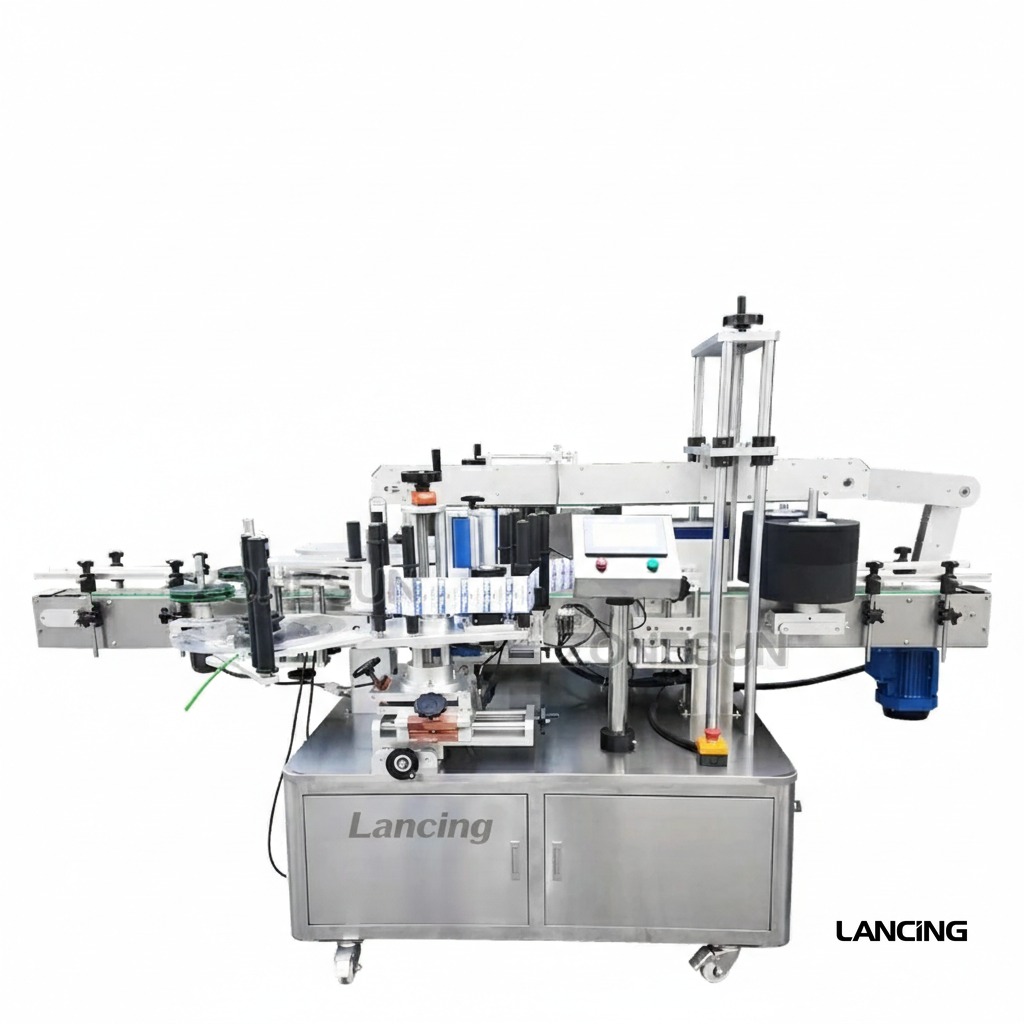
Integrated print engine with applicator places freshly printed labels in one step.
300 or 600 dpi options for crisp barcodes, text and graphics.
Print speed up to ~600 mm/s depending on resolution and media.
Tamp, wipe, or corner‑wrap modules for front/side/top and two‑panel labelling.
Handles variable data, GS1 barcodes and QR codes for compliance.
Mount to conveyors or stands; I/O for PLC/ERP data exchange.
Performance depends on product, label size, and line speed. Ask us for a timed trial.
Case, tote and pallet identification with barcodes.
Retail and outer‑case labels with variable date/price data.
Batch/lot traceability and compliance labelling.
Tell us about your application. We’ll confirm compatibility and quote the best configuration.
Application and selection guidance
A print and apply system creates variable data and places the fresh label onto a case, tote, pallet or product. The print engine, label, applicator and data interface must be selected as one system.
The page lists direct thermal or thermal-transfer printing, 300 or 600 dpi options, a model-dependent print width up to approximately 107 mm and speed references up to approximately 600 mm/s.
Resolution should be selected from the smallest text, barcode module and graphic detail, not from speed alone.
Tamp, tamp-blow, wipe and corner-wrap arrangements suit different product motion and label panels. Product distance, speed variation and the need to stop or keep moving influence the applicator.
Corner-wrap labels need control of two adjoining faces and should be trialled on the actual case.
Define where variable data originates and how each product is identified. The PLC, database or production system must send the correct record at the correct time. A no-label/no-apply condition, low-media warning and print fault should have an agreed line response.
For barcodes, provide the symbology, data length, required size and verification acceptance method. GS1 formats can be supported where the selected software and print design are configured correctly, but compliance depends on the complete data and print process.
Supply production labels and ribbon. Adhesive, face stock, liner, core, roll direction and environment affect dispense and adhesion. For pre-printed labels without variable data, a conventional label applicator may be simpler.
Confirm the print, label and application duty with production media and real variable data.
Review a print-and-apply projectChoose from the smallest required text, barcode and graphic detail, then confirm that the selected resolution meets the required production rate. Higher resolution is not automatically necessary for every label.
A tamp applicator presents a label pad to the product, while wipe application transfers the label as the product moves past. Distance, speed, panel and label size influence the choice.
The page states support for GS1 formats where software is configured appropriately. The data structure, label design, printer resolution and verification method must still be specified.
The system can be configured with sensors and fault outputs, but the required response—stop, alarm, reject or log—must be agreed with the line controls.
The page describes PLC and ERP data exchange as a configuration option. The interface protocol, record trigger and data validation need project-specific definition.
Print-and-apply project resources
A printer-applicator is not complete when it prints a readable label in isolation. It must receive the correct data, apply the label to the intended pack and create a defined response when verification fails.
Provide the label stock, liner, dimensions, winding direction, ribbon or print method, artwork area and variable data content. Identify the data source, message selection, product trigger, line speed, application surface and allowable pack position. Define whether the requirement is print presence, readable content, exact data, barcode quality or a combination.
Map how each inspection result remains associated with the correct product through gaps, stops and queues. State the reject method, reject confirmation, full-bin response and behaviour after repeated failures. Include safe media change, head cleaning, first-off approval and reprint control in the operating sequence.
Define data ownership, print, verification, tracking and reject logic.
Match the application mechanism to the product surface and label.
Turn codes, placement and reject response into repeatable tests.
Ready to discuss the application?
Send the application details to Lancing for a tailored machinery review.
Variable-data labelling decision
Print-and-apply is appropriate when the label content must be generated close to application. The project should define who owns the data, what triggers printing, how the printed label is associated with the correct pack and what happens after a missing, unreadable or unapplied label.
Compare the operational and data implications.
Define dimensions, web, liner, adhesive and roll direction.
Define message control, checks, rejection and retained evidence.
Provide representative packs, label stock, message examples, code standards and the intended verification method. A successful data transfer to the printer does not by itself prove that an acceptable label reached the intended pack.
Variable-data readiness
It may, provided the printer, label material, data source, print quality, application position and verification method meet the approved requirement on the real pack. The line also needs clear behaviour for missing, incorrect or unreadable labels.
Define the symbol, data, print, verify and reject workflow.
Plan data ownership and line-control interfaces.
Confirm liner, adhesive, dimensions and roll direction.
© Copyright 2025 by Lancing Ltd - all right reserved terms & conditions